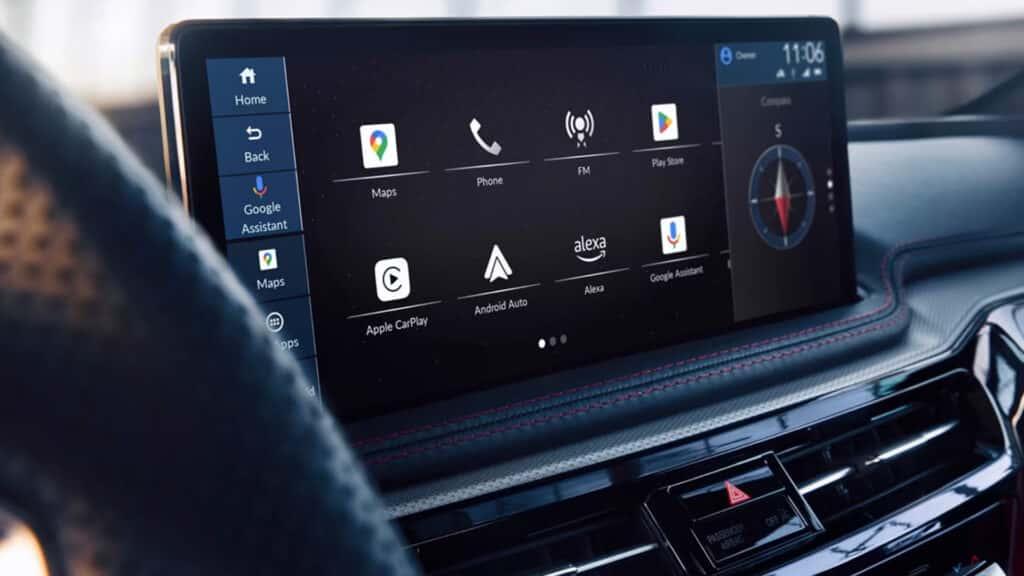
Luxury drivers expect technology that’s intuitive and not distracting. The Acura MDX True Touchpad Interface delivers an infotainment system designed for precision, ease, and ergonomics. Standard in the 2026 Acura MDX, this system helps keep drivers focused on the road while giving them seamless control of entertainment, navigation, and vehicle settings.
How Does the True Touchpad Interface Work?
Unlike other touchpads that rely on cursor movement, the Acura MDX True Touchpad Interface is designed to mirror the 12.3-inch HD center display exactly. When you press the top-right corner of the touchpad, it corresponds directly with the top-right of the screen. This 1:1 mapping means less guesswork and less distraction while driving.
Acura developed this technology to reduce driver fatigue and confusion compared to rotary dials or complicated multi-step menus. The result is quicker, more accurate access to the features you need most.
Is It Easy to Use While Driving?
Yes—ease of use is the hallmark of the Acura MDX True Touchpad Interface. The touchpad is positioned ergonomically in the center console, so your hand naturally rests on it. Tactile feedback and logical menu layouts mean you don’t have to take your eyes off the road for long. It’s a solution to one of the biggest complaints about luxury infotainment systems: that they’re too distracting or unintuitive.
Connectivity and Smartphone Integration
Every 2026 MDX with the True Touchpad Interface comes equipped with standard Apple CarPlay and Android Auto compatibility. With the same intuitive controls, you can access your favorite apps, messages, and music. Voice recognition also pairs seamlessly, so you can adjust playlists or set a navigation destination hands-free.
Ready to see available 2026 MDX models equipped with the Acura MDX True Touchpad Interface? Browse our current selection at Irvine Acura today.
How Does It Compare to Lexus or BMW?
Drivers who have tried Lexus Remote Touch or BMW’s iDrive often mention a learning curve or cumbersome menus. The Acura MDX True Touchpad Interface stands out with its direct mapping approach, which feels more natural and reduces distraction. Paired with a high-resolution display and fast response times, Acura’s system balances luxury polish with everyday usability.
Can I Control Climate and Navigation?
Yes. The touchpad gives you access to climate control, seat settings, navigation maps, and more. Quick-access menus make it simple to adjust cabin comfort or set your next destination without fuss. Combined with steering wheel controls and available voice commands, the MDX ensures you always have multiple ways to stay connected and comfortable.
Experience the Acura MDX True Touchpad Interface at Irvine Acura
The best way to appreciate the Acura MDX True Touchpad Interface is to try it yourself. At Irvine Acura, our team will guide you through the 2026 MDX infotainment system so you can see firsthand how it simplifies driving without compromising luxury.
Schedule your test drive today at Irvine Acura and discover the Acura MDX True Touchpad Interface in action.